Configuring the sample data
-
Double-click tReservoirSampling to display the
Basic settings view and define the component
properties.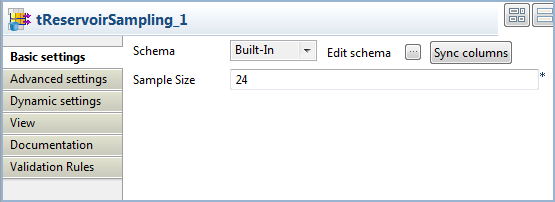
-
Click the Edit schema button to view the input and
output columns and do any modifications in the output schema, if needed.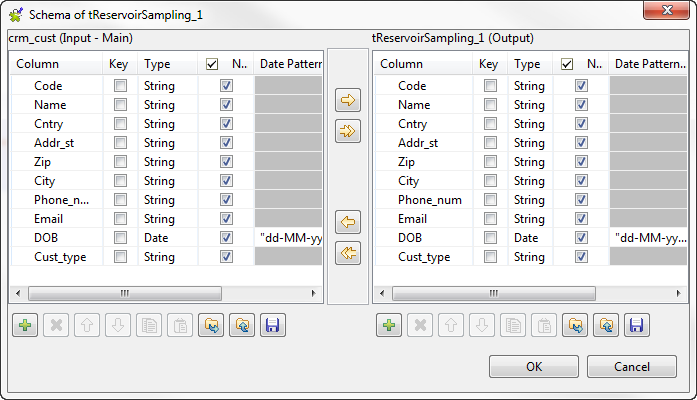
-
In the Sample Size field, enter a number for the
rows you want to extract from the input flow, 24 in this example. -
Click the Advanced settings tab and enter a random
number in the Seed for random generator field.By setting a number in this field, you will extract the same sample in each
execution of the Job. Change the value if you want to extract a different sample.
Document get from Talend https://help.talend.com
Thank you for watching.
Subscribe
Login
0 Comments