Configuring the schema for the input data
-
Double-click the tFixedFlowInput
component to set its Basic Settings in the
Component view
-
Click the three-dot button next to Edit
schema to open the schema editor.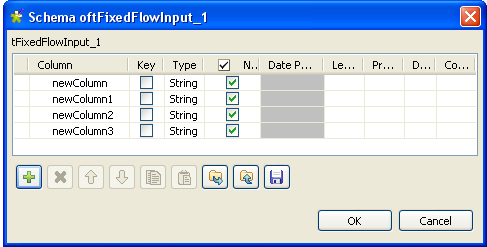
-
In the schema editor and then under the schema table, click the plus
button four times to add four rows. -
Click OK to validate this changes and
then accept the propagation prompted by the pop-up dialog box. The four rows
appear automatically in the Values table of
the Component view. -
In the Values table within the Mode area, type in the values for each of the
four rows in the Value column. In this
scenario, the values downward are:
CONTS00059, Screen 24" standard 16/10, Screen 24" standard 28/10, 2.Warning:These values in the Value column must be put between quotation
marks.
Document get from Talend https://help.talend.com
Thank you for watching.
Subscribe
Login
0 Comments