Configuring the tPaloDatabaseList component
-
Double-click the tPaloDatabaseList
component to open its Component
view.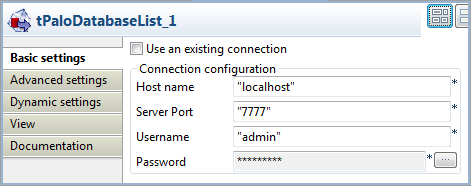
-
In the Host name field, type in the host
name or the IP address of the host server, localhost
for this example. -
In the Server Port field, type in the
listening port number of the Palo server. In this scenario, it is
7777. -
In the Username field and the Password field, type in the authentication
information. In this example, both of them are
admin.
Document get from Talend https://help.talend.com
Thank you for watching.
Subscribe
Login
0 Comments