Configuring tMDMReceive and tLogRow
-
Double-click the tMDMReceive component to
open its Basic settings view in
theComponent tab.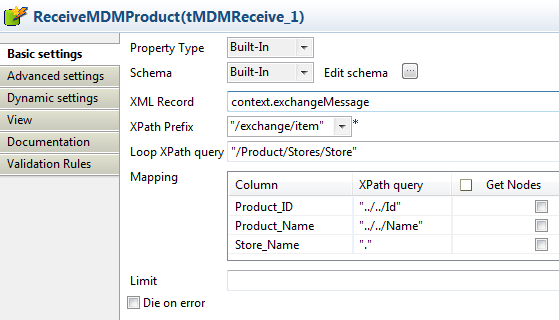
-
Click the […] button next to Edit schema to define the desired data structure.
In this example, three columns are added: Product_ID, Product_Name,
and Store_Name.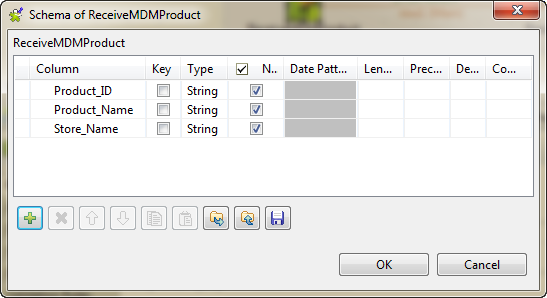
-
In the XML Record field, fill in the
context variable context.exchangeMessage. -
From the XPath Prefix list, select
“/exchange/item”. -
In the Loop XPath query field, type in
the name of the XML tree root tag. In this example, type in “/Product/Stores/Store”. -
The Column column in the Mapping table is populated with the columns
defined in the schema. In the XPath query
column, enter the XPath query accordingly. In this example, the information
of product ID, product name and store name will be extracted. -
Double-click the tLogRow component to
open its Basic settings view in the
Component tab. -
Select Table (print values in cells of a
table) in the Mode
area.
Document get from Talend https://help.talend.com
Thank you for watching.
Subscribe
Login
0 Comments