Configuring tMDMSP to execute the stored procedure
-
Double-click tMDMSP to open its
Basic settings view.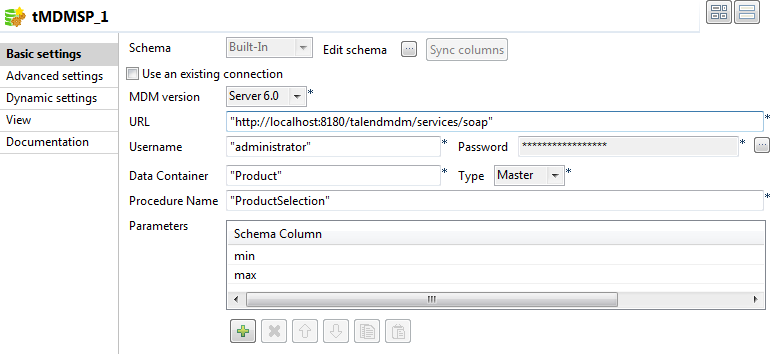
- Enter the user name and password for accessing the MDM server.
-
In the Data Container field, enter
Product between quotes. -
In the Procedure Name field, enter
ProductSelection between quotes. -
In the Parameters table, click the
[+] button to add two rows,
and select min and max
respectively.
Document get from Talend https://help.talend.com
Thank you for watching.
Subscribe
Login
0 Comments