Creating an Amazon SQS queue
Configure the tSQSQueueCreate
component to create an Amazon SQS queue.
component to create an Amazon SQS queue.
-
Double-click the tSQSQueueCreate
component to open its Basic settings view.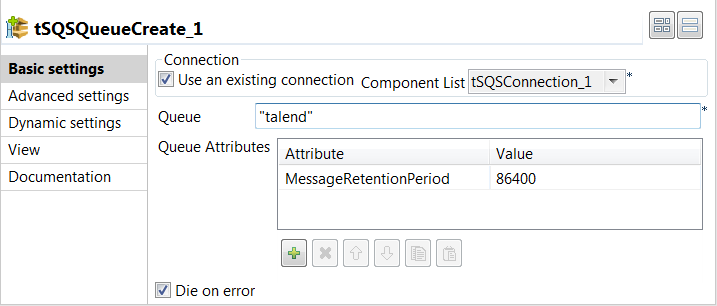
-
Specify the connection details required to access Amazon SQS. In this
example, select the Use an existing connection
check box and from the Component List drop-down
list displayed, select the connection component to reuse its connection details you
have already defined. -
In the Queue field, specify the name
for the queue to be created. In this example, it is
talend. -
If needed, specify the attributes for the queue to be created in the
Queue Attributes table. In this example, the
MessageRetentionPeriod attribute is added and
its value is set to 86400, which means Amazon SQS will retain
the messages delivered to the queue for 86400 seconds (1 day) instead of the default
345600 seconds (4 day).
Document get from Talend https://help.talend.com
Thank you for watching.
Subscribe
Login
0 Comments