Creating an index
-
Double-click the first tNeo4jRow
component to open its Basic settings view
on the Component tab.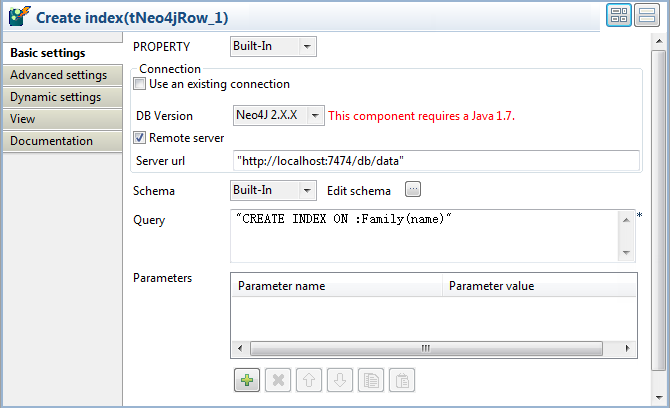
-
From the DB Version list, select
Neo4J 2.X.X. -
Select the Remote server check box and
specify the URL of the Neo4j server in the Server
URL field, “http://localhost:7474/db/data” in this example. -
In the Query field, type in the following
query to create an index on the property you are going to merge, which is
the name property of the Family nodes in this example:1"CREATE INDEX ON :Family(name)"
Document get from Talend https://help.talend.com
Thank you for watching.
Subscribe
Login
0 Comments