Creating an RSS flow
-
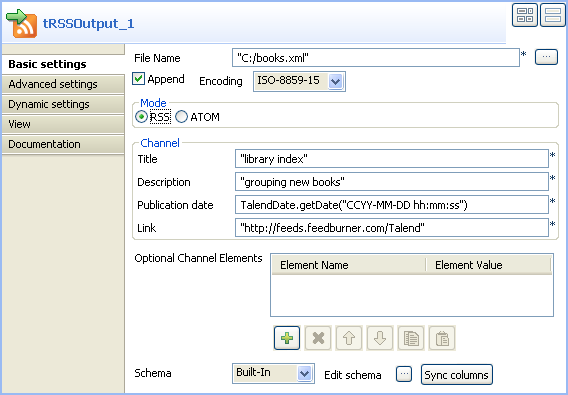
In the design workspace, select tRSSOutput, and click the Component view to define the basic settings for tRSSOutput.
-
In the File name field, use the by
default file name and path, or browse to set your own for the output XML
file. -
Select the encoding type on the Encoding Type
list. - In the Mode area, select RSS.
-
In the Channel panel, enter a title, a
description, a publication date, and a link to define your input data as a
whole. -
Click Edit Schema to modify the schema if
necessary.Note:You can click Sync columns to
retrieve the generated schema from the preceding component. -
Save your Job and press F6 to execute
this first part.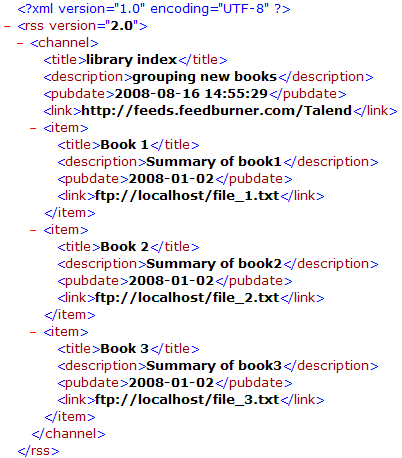 The tRSSOutput component created an
output RSS flow in an XML format for the defined files.
Document get from Talend https://help.talend.com
Thank you for watching.
Subscribe
Login
0 Comments