Executing the Job to list Amazon SQS queues
After setting up the Job and configuring the components used in the
Job for listing Amazon SQS queues, you can then execute the Job and verify the Job
execution result.
Job for listing Amazon SQS queues, you can then execute the Job and verify the Job
execution result.
- Press Ctrl + S to save the Job.
-
Press F6 to execute the Job.
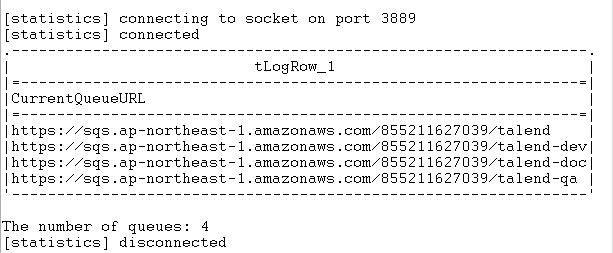 As shown above, the URLs of all queues in the Asia Pacific
(Tokyo) region and the total number of the queues are displayed on
the console.
Document get from Talend https://help.talend.com
Thank you for watching.
Subscribe
Login
0 Comments