Executing the Job to write tasks into the Grouping campaign
Press F6 to save and execute the
Job.
A sample of suspect pairs is computed and written in the form of tasks into
the Sites deduplication campaign and the record names
are automatically set to Record 1 and
Record 2.
The component also computes suspect pairs and unique rows and writes them in
the output files. It writes exact duplicates on the studio console.
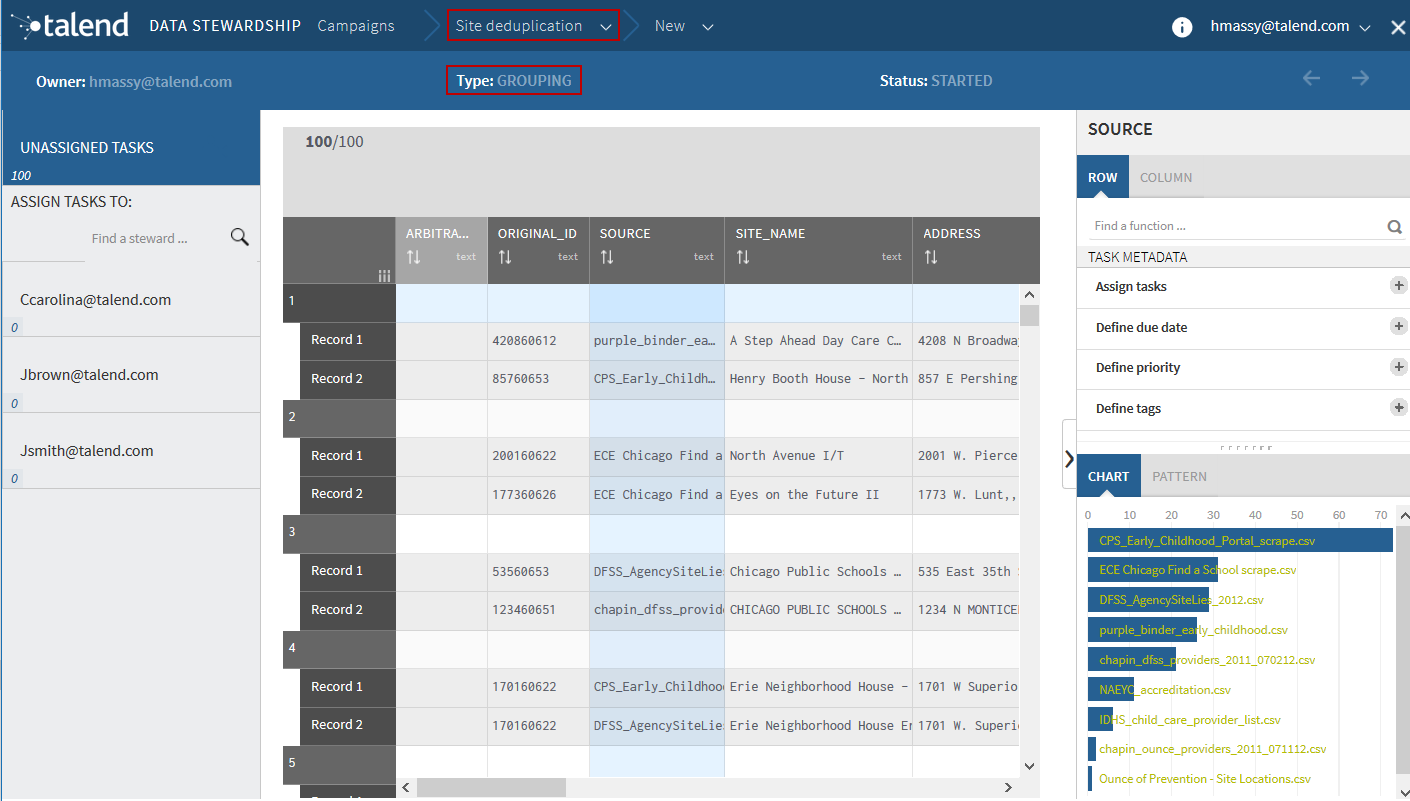
You can now assign the tasks to authorized data stewards who need to decide
if the records in each group are duplicates.
For further information about handling grouping
tasks, see the documentation on Talend Help Center (https://help.talend.com).
Document get from Talend https://help.talend.com
Thank you for watching.
Subscribe
Login
0 Comments