Filtering the salary records
-
Double-click tMap to open the map
editor.Note that the tHDFSInput component linked
to this tMap has been configured along with
the other tHDFSInput component linked to
tAggregateRow.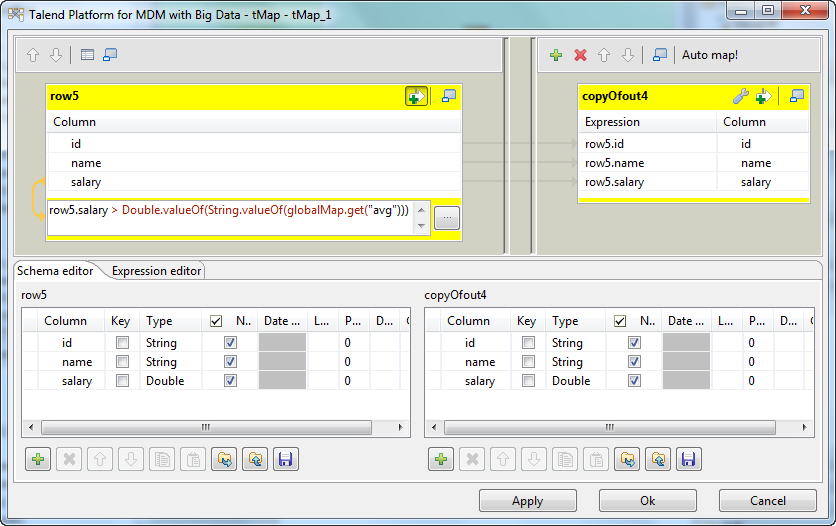
-
From the table representing the input flow (on the left side), select all
the three columns and drop them to the table representing the output flow
(on the right side). -
On the table of the input flow, click the
 button to display the filter
expression panel. -
In this filter expression panel, enter
row5.salary > Double.valueOf(String.valueOf(globalMap.get("avg")))
This expression allows the tMap component
to select only the salaries above the average calculated by tAggregateRow.Note that the row5 in this expression
is the ID of the input row to the tMap
component and therefore, it might be another value in your scenario. - Click Apply and then OK to validate these changes.
Document get from Talend https://help.talend.com
Thank you for watching.
Subscribe
Login
0 Comments