Filtering the classification result
-
Double-click tFilterColumns to open its
Component view. -
Click the […] button next to Edit
schema to open the schema editor. -
On the output side, click the [+] button three times to add
three rows and in the Column column, rename
them to reallabel, label and sms_contents, respectively. They receive data from the input
columns that are using the same names.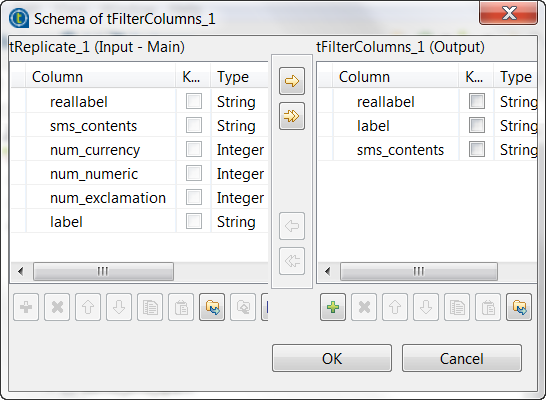
-
Click OK to validate these changes and accept the
propagation prompted by the pop-up dialog box.
Document get from Talend https://help.talend.com
Thank you for watching.
Subscribe
Login
0 Comments