Listing all Amazon SQS queues in an AWS region
Configure the tSQSQueueList
component, the tIterateToFlow component, the tLogRow component, and the tJava component to list the URLs of all Amazon SQS queues in an AWS
region and display the total number of the queues in the region on the console of
Talend Studio
.
component, the tIterateToFlow component, the tLogRow component, and the tJava component to list the URLs of all Amazon SQS queues in an AWS
region and display the total number of the queues in the region on the console of
Talend Studio
.
-
Double-click the tSQSQueueList
component to open its Basic settings view.
-
Specify the connection details required to access Amazon SQS. In this
example, select the Use an existing connection
check box and from the Component List drop-down
list displayed, select the connection component to reuse its connection details you
have already defined. -
Double-click the tIterateToFlow
component to open its Basic settings view.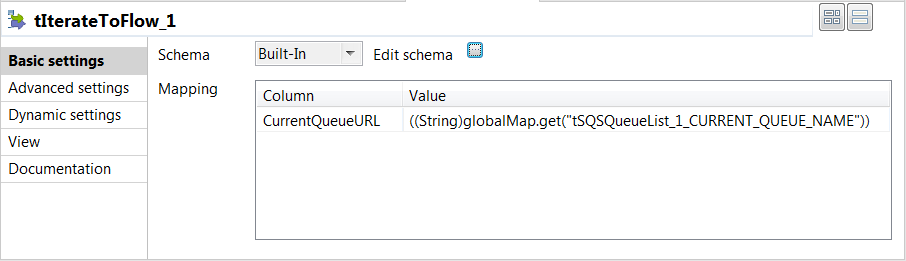
-
Click the

button next to Edit schema to
open the schema dialog box.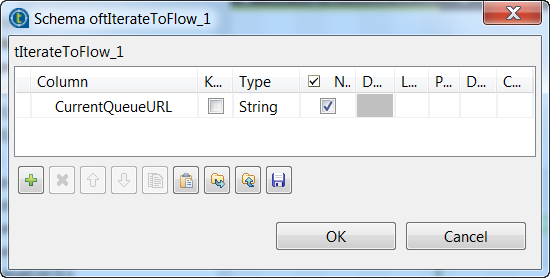
-
Click the

button to add one String type column
CurrentQueueURL that will hold the URLs of the queues to be
listed. When done, click OK to close the dialog
box. -
In the Mapping table, set the value
for the CurrentQueueURL column. In this example, the value is
set to
((String)globalMap.get(“tSQSQueueList_1_CURRENT_QUEUE_NAME”)),
which is the value of the global variable CURRENT_QUEUE_NAME
for the tSQSQueueList component.Note that you can fill the value by pressing Ctrl + Space to access the global variables list and then selecting
tSQSQueueList_1_CURRENT_QUEUE_NAME from the list. -
Double-click the tLogRow component to
open its Basic settings view, and then select
Table (print values in cells of a table) in the
Mode area for better readability of the
result.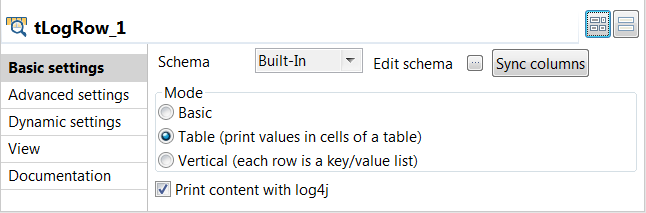
-
Double-click the tJava component to open its
Basic settings view.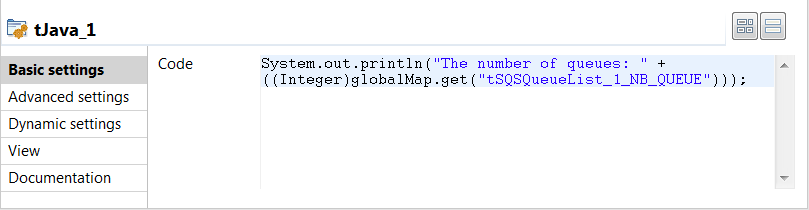
-
In the Code field, enter the following
code to display the total number of the queues in the region.1System.out.println("The number of queues: " + ((Integer)globalMap.get("tSQSQueueList_1_NB_QUEUE")));
Document get from Talend https://help.talend.com
Thank you for watching.
Subscribe
Login
0 Comments