Mapping the input data flow
-
Double-click the first tXMLMap to open its map editor.
In the in table on the right side,
right-click the node doc and select
Import From Repository from the
contextual menu.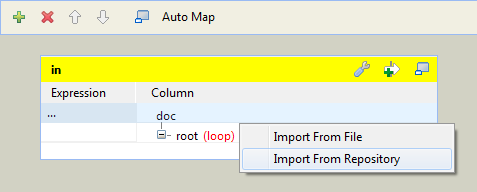
-
In the pop-up [Metadata] dialog box, select Input_Schema in the folder RFC_READ_TABLE and click OK to close the dialog box. The schema is added to the XML
tree.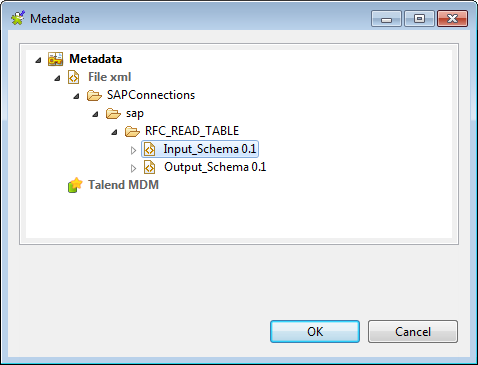
-
Drag and drop all columns in the input table main:row1
on the left side to the corresponding elements in the in table on the right side. Then in the
in table, delete the other elements
that do not need an input value.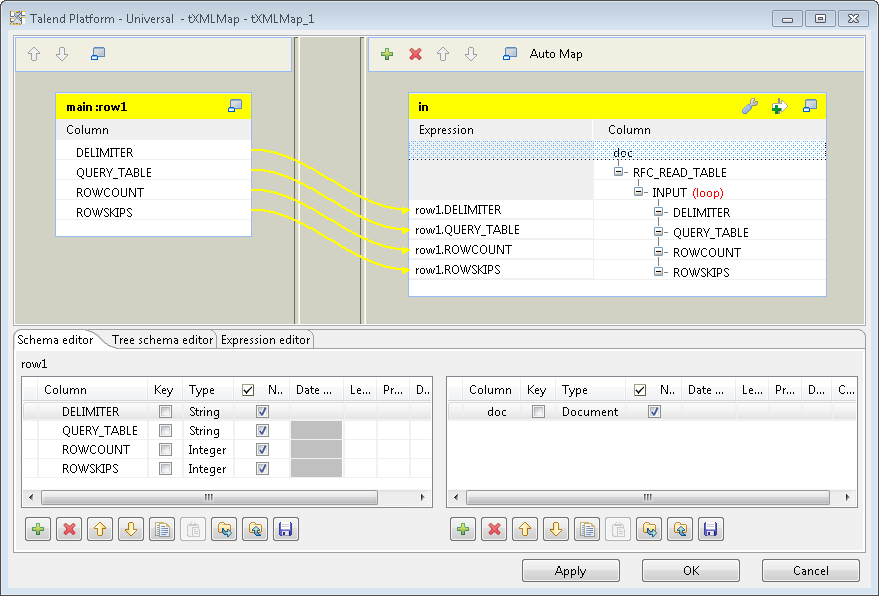
-
Click OK to save the settings and close
the map editor. -
Connect tSAPBapi to the second tXMLMap using a Row >
Main connection.
Document get from Talend https://help.talend.com
Thank you for watching.
Subscribe
Login
0 Comments