Saving the executing the Job
- Press Ctrl+S to save your Job.
-
Click the Run button on the Run tab or press F6 to run it.
The console displays the service implementation information, including the
service URL.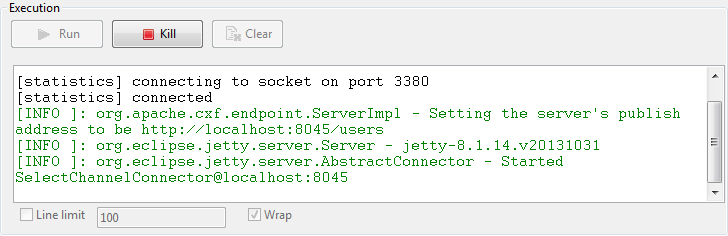 When an HTTP POST request is received from a client, the console displays
the relevant exchange information and the database update result.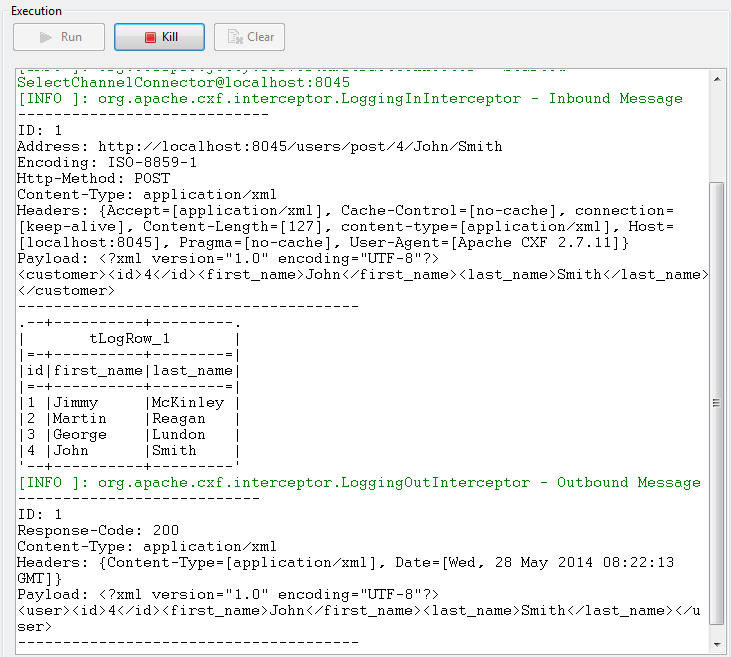 For a use case that calls this REST service using the HTTP POST method,
see Scenario 2: Updating user information by interacting with a RESTful service.
Document get from Talend https://help.talend.com
Thank you for watching.
Subscribe
Login
0 Comments