Setting the schema and selecting the matching algorithm
-
Double-click tMatchGroup to display the
Basic settings view and define the
component properties. -
From the Matching Algorithm list, select
T-Swoosh.In this scenario, the match rule is based on the T-Swoosh algorithm. -
Click Sync columns to retrieve the schema
from the preceding component. -
Click the Edit schema button to view the
input and output schema and do any modifications in the output schema, if
necessary.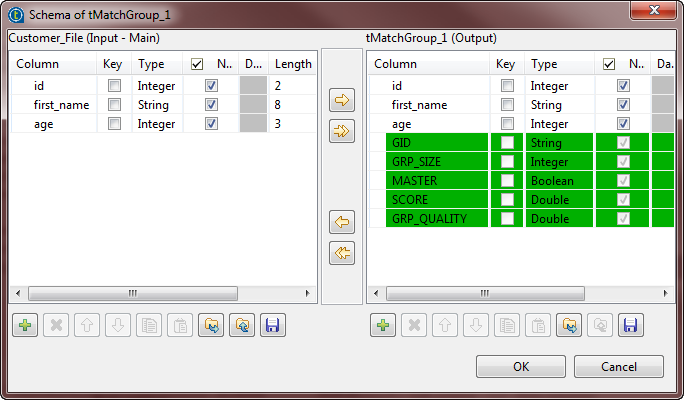 In the output schema of this component there are few output standard columns
that are read-only. For more information, see tMatchGroup Standard properties. -
In the Advanced settings view, leave the
parameters selected by default.
Document get from Talend https://help.talend.com
Thank you for watching.
Subscribe
Login
0 Comments