Setting up your Job
-
In the Repository tree view, expand in
succession the Metadata and the DB Connections nodes where you have stored the input
schemas and drop the relevant connection onto the design workspace.The [Components] dialog box displays.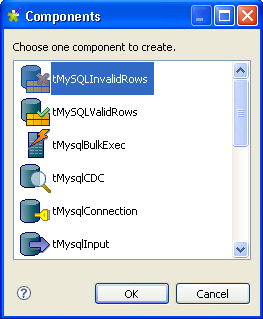
-
Select tMySQLInvalidRows from the list and
click OK to close the dialog box.The tMySQLInvalidRows component displays on
the workspace. The MySQL table used in this scenario is called
customers. It holds the customers’
customer_id, account_num, Iname, fname, country and
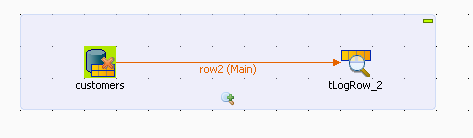
Email columns. - Drop tLogRow from the Palette onto the design workspace.
-
Connect the two components together using the Main link.
Document get from Talend https://help.talend.com
Thank you for watching.
Subscribe
Login
0 Comments