Verifying tDepartitioner
-
Double-click the tDepartitioner component
open its Component view.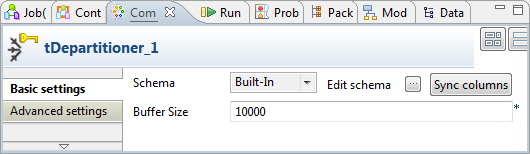
-
If required, change the values in the Buffer
Size field to adapt the memory capacity. In this example, we
leave the default value. -
Click the

button next to Edit
schema to open the schema editor, then, check that all of the
columns you need to output appear in the schema table of tDepartitioner. In this scenario, we output all
the columns received from its preceding components.
Document get from Talend https://help.talend.com
Thank you for watching.
Subscribe
Login
0 Comments