Creating an RFC Destination for the listener component tSAPIDocInput
Logon to a given SAP R/3 system and then proceed as follows to create the required
RFC Destination:
-
Execute the transaction SM59 to open the Display and
maintain RFC destinations view.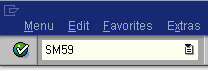
-
In this view, select the TCP/IP
connections option and click Create.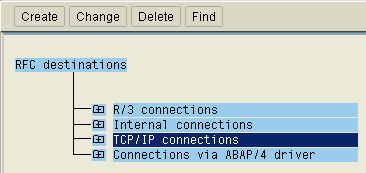 Then the RFC Destination view
displays.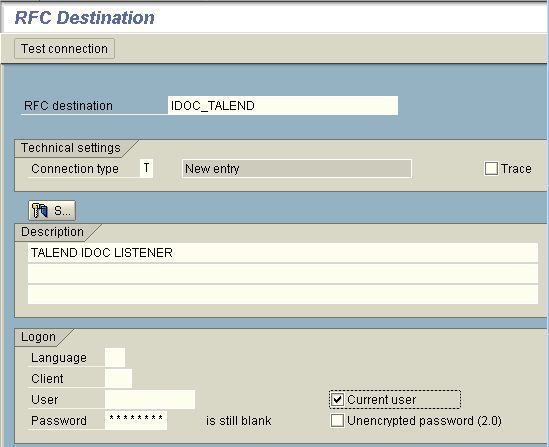
-
In RFC destination field of this view,
type in the name of this RFC Destination to be used. As this field is
case-sensitive, it is recommended to use upper case characters. In this
example, we name it as IDOC_TALEND. -
In the Connection type field, select the
T type meaning to start an external
program via TCP/IP. -
In the Description field, type in a short
text to describe this RFC Destination being created. In this example, we
enter simply TALEND IDOC LISTENER. -
In the Logon area, select the Current user check box and then click the
Save button on the top toolbar. Then the RFC Destination IDOC_TALEND view is
opened.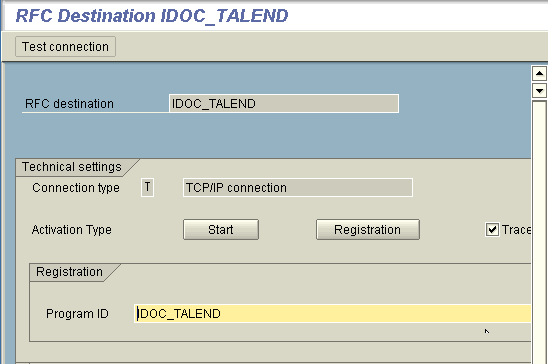
-
In this view, click Registration to
display the Program ID field and type in
the program ID. This program ID must use the same name as this created RFC
Destination, that is, IDOC_TALEND. Then again, click
the save button on the top toolbar to validate this configuration. -
Still on the top toolbar, click the back button several times to go back
to the SAP Easy Access view (SAP main
screen) and execute the transaction SMGW to open the
gateway monitor view.
-
From the menu bar of the gateway monitor view, select Goto > Parameters > Display. Then an table
like the following one displays, where you can find the gateway service of
this given SAP R/3 system.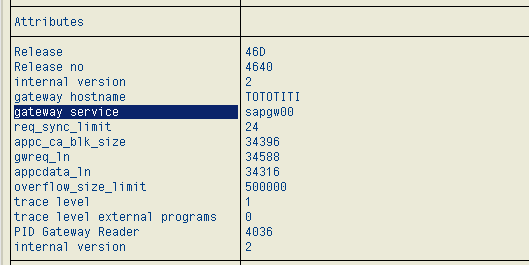
In this example, the gateway service to be used is
sapgw00.
Now, the required RFC Destination has been created.
Document get from Talend https://help.talend.com
Thank you for watching.
Subscribe
Login
0 Comments