Specifying the data to be removed from the MDM server
-
Double-click tFixedFlowInput to view its
Basic settings in the Component tab.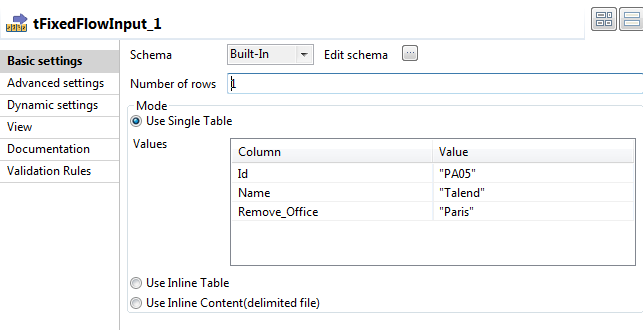
-
In the Schema list, select Built-In and then click the three-dot button next to
Edit schema to open a dialog box in which
you can define the structure of the master data to be used for partially
removing the master data on the MDM server.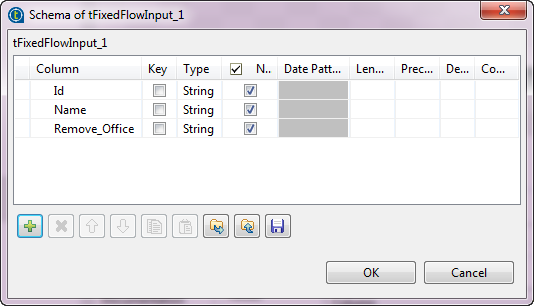
-
Click the [+] button and add three columns of
the type String.In this example, name the columns Id,
Name, and Remove_Office. - Click OK to save your changes.
-
In the Number of rows field, enter the number
of rows you want to generate. -
In the Mode area, select the Use
Single Table option. -
In the Value fields, enter values which
correspond to each of the schema columns.In this example, the office in Paris will
be removed.
Document get from Talend https://help.talend.com
Thank you for watching.
Subscribe
Login
0 Comments