Configuring the process of filtering the rows of interest
To do this, proceed as follows:
-
Double click tFilterRow to open its
Component view.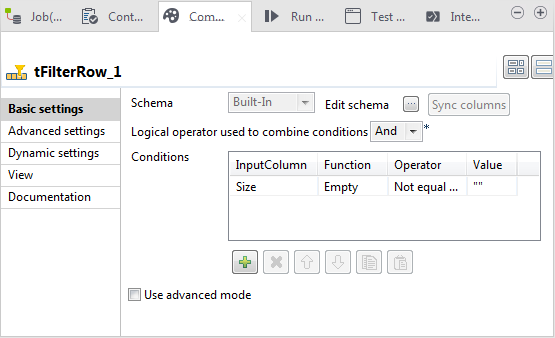
-
Under the Conditions table, click the
plus button to add one row. -
In the InputColumn column of this
row, select Size from the drop-down list. -
In the Function column, select
Empty. -
In the Operator column, select
Not equal to. -
In the Value column, type in the
quotation marks"".
The condition is set up. The normalized data which contain no null in the
Size tag will be output while those which contain null
in this Size tag will be rejected.
Document get from Talend https://help.talend.com
Thank you for watching.
Subscribe
Login
0 Comments