Selecting the Silver-level customer data
-
Double-click tSqlRow to open its Component view.
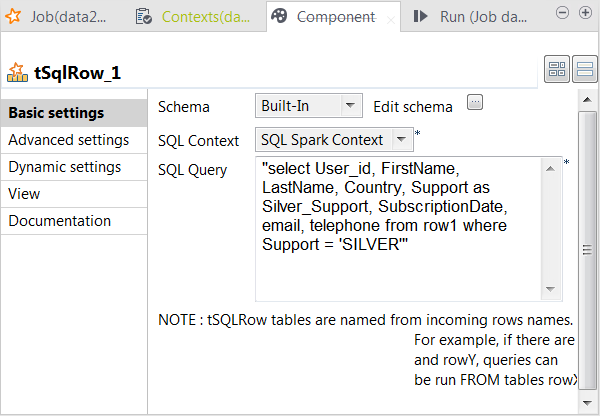
- Click the […] button next to Edit schema to open the schema editor.
-
In the schema on the output side (the right side), change the column name
Support to Silver_Support.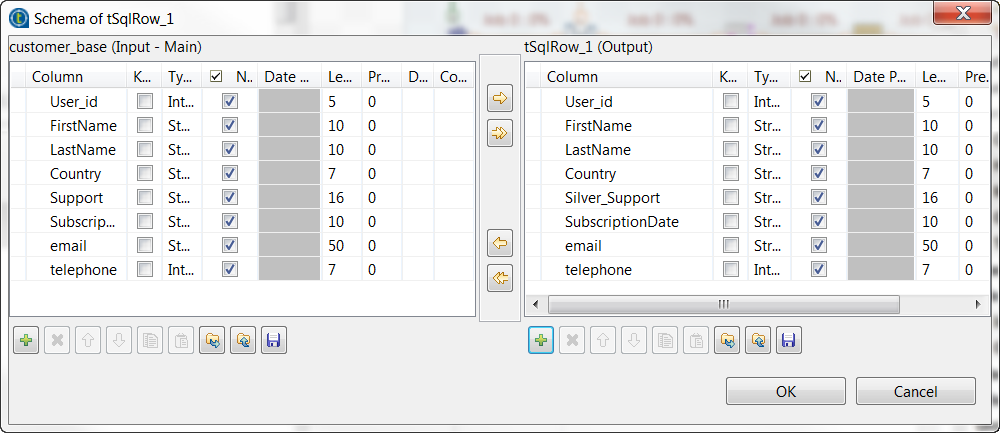
-
From the SQL context drop-down list, select
SQL Spark Context. -
In the SQL Query field, enter the query
statement to be used to select the records about the Silver-level
customers.1select User_id, FirstName, LastName, Country, Support as Silver_Support, SubscriptionDate, email, telephone from row1 where Support = 'SILVER'You can read that the input link row1 is
actually taken as the table in which this query is performed.
Document get from Talend https://help.talend.com
Thank you for watching.
Subscribe
Login
0 Comments