Selecting the WSDL
-
Double-click tWebService to open the
component editor, or select the component in the design workspace and in the
Basic settings view, click the
three-dot button next to Service
configuration.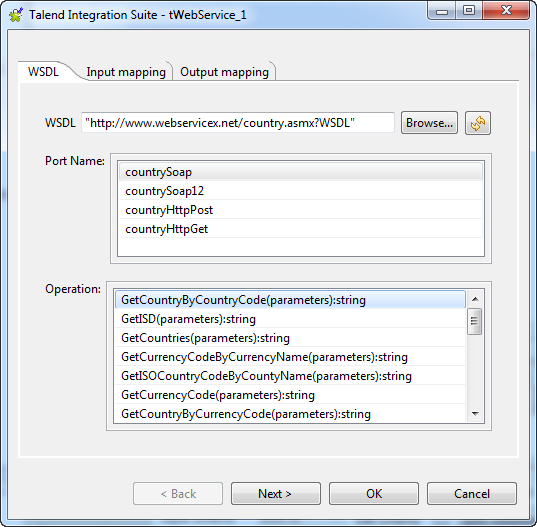
-
In the WSDL field, enter the Web service
address or browse to it, if the WSDL is locally stored, by clicking the
[Browse…] button. In this example,
the WSDL URL is http://www.webservicex.net/
country.asmx?WSDL. -
Click the refresh button next to the WSDL
filed to retrieve the WSDL description and display it in the fields that
follow. -
In the Port Name list, select the port
you want to use, countrySoap in this
example. -
In the Operation list, select the service
you want to use. In this example the selected service is GetCountryByCountryCode(parameters):string.
Document get from Talend https://help.talend.com
Thank you for watching.
Subscribe
Login
0 Comments